

Change when logging in to KI systems
On 30 November, the central login function for KI systems will be updated. You will enter your email address instead of your KI ID when logging in. This change will further strengthen security while also making it easier for you to use.
Today, when you log in through KI’s central login service (SSO), you enter your KI ID and password.
From 30 November, you will enter your email address instead, just as you do when logging in to Microsoft 365.
Why is this change being made?
This change is a step towards further strengthening IT security while also making things easier for you as a user. You already use this login method to access Microsoft 365, so the appearance and process will be familiar.
Technically, Microsoft’s cloud-based identity service is used, which means the highest possible level of security and continuous security updates in the background.
This solution enables seamless MFA use, which an increasing number of services and applications will require in the future, to keep systems secure against the global rise in cyberattacks.
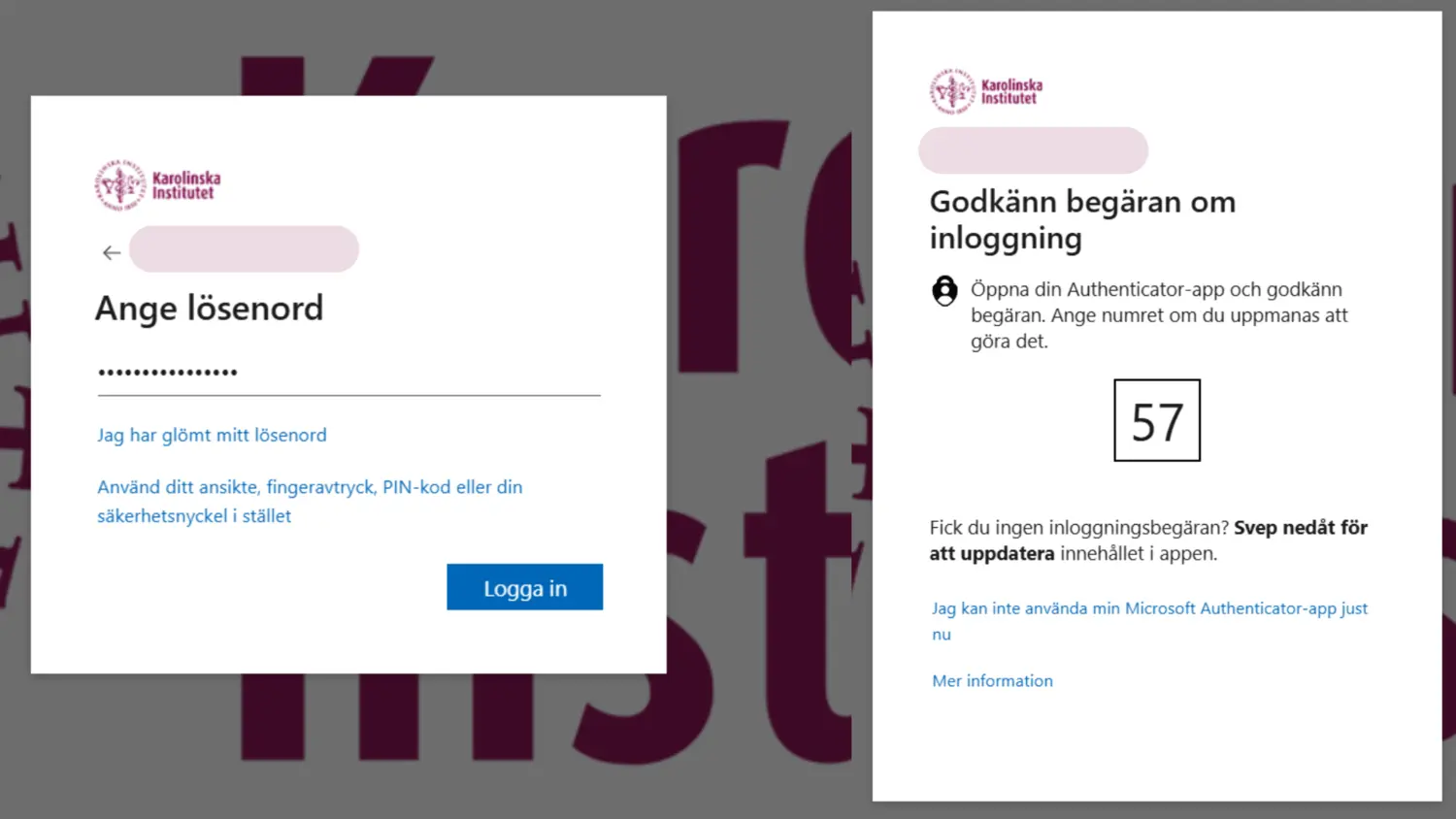
Login step by step
The login process has the same number of steps as before:
- Enter your email address.
- Enter your password.
- If you are logging in to a service that requires MFA, an approval step will follow here. Approve the login using your phone.
Important preparation: check your MFA
More services will require the use of MFA in future. If you experience problems or need to reset the Authenticator app, you can find support on this page.
Contact for questions
If you have problems signing in or have any questions, please contact Helpdesk.